Contents10 sections
On November 20, 2026 my free app Org Overview 360 went live on AgentExchange, the Salesforce marketplace that used to be called AppExchange. How it got through the security review is in the previous story. Two days later I searched for it the way an admin would: not by its name, but by what it does.
It was not there. Not for "org health check", not for "org check", "org analyzer", "technical debt", "org documentation" or "field usage". Outside the first 12 results every time.
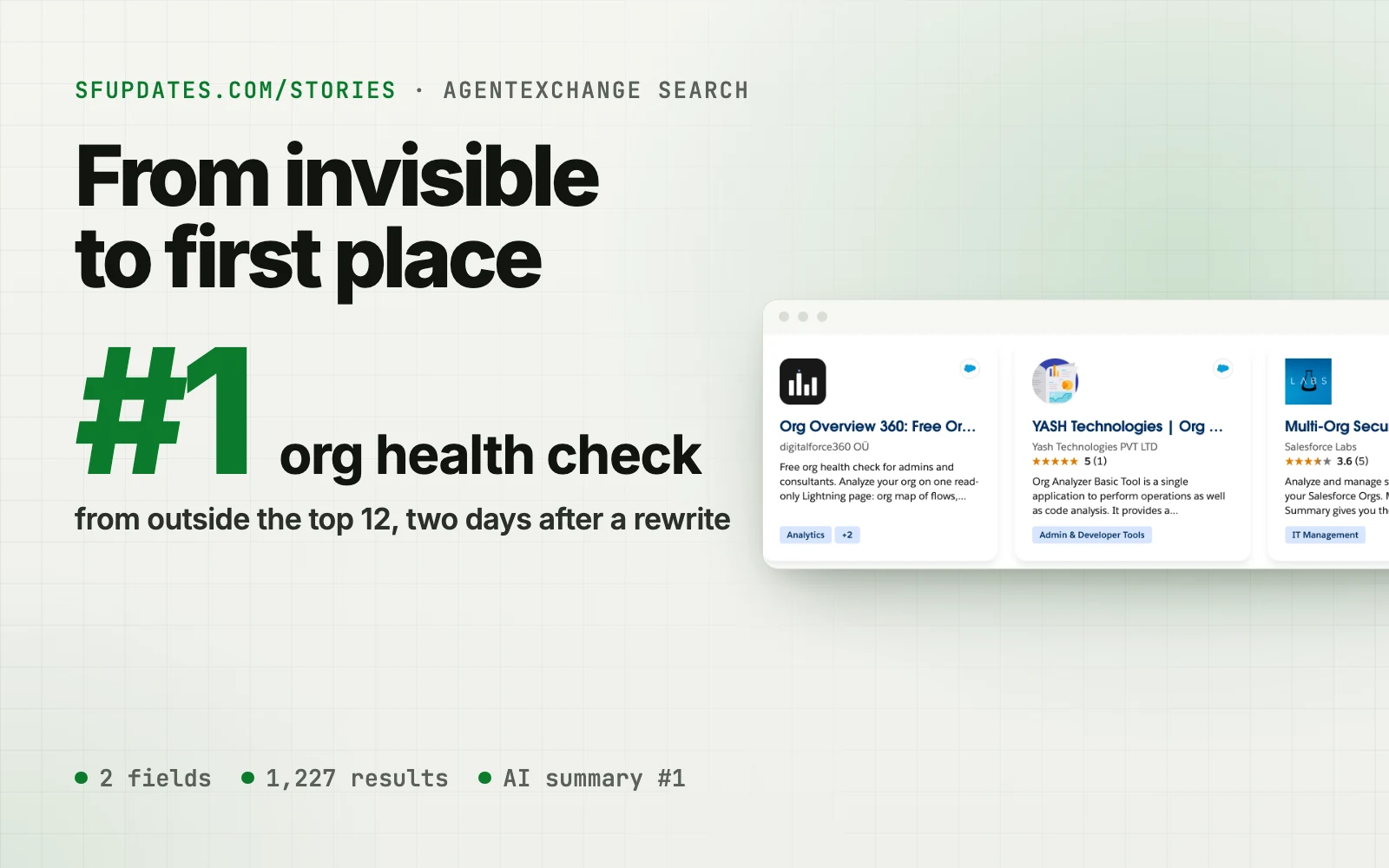
Two days after a rewrite it is the first of 1,227 results for "org health check", and the first app in the AI Summary that AgentExchange shows above the results. This is what I changed, what I measured, and what did not work.
-- the short version
AgentExchange search behaved like a word match on the listing title and the brief description, and my listing had none of the words admins type. I rewrote both around "org health check" on November 22, 2026, watched the listing vanish from search, and on November 24 it was first for "org health check", "org check" and "org overview", and first in the AI Summary for all three. Words that were only in the long description did not rank.
The listing nobody could find
Passing the security review gets you a public listing. It does not get you found. On November 22 I searched AgentExchange for the phrases I would use myself when I need a tool like mine, logged out and sorted by relevance, and looked at the first 12 cards. The listing showed up for exactly two of them: second for "org overview", and sixth for "org map", a search that is mostly org chart apps for sales teams.
That is the trap of a product name. "Org Overview 360" was a fine name and a useless keyword. Nobody types it until they already know the app.
How AgentExchange search seems to work
Salesforce does not publish the ranking rules, so this is what I observed, not documentation:
- It behaves like a word match. My listing appeared for a search once its words were in the title and the brief description, and not before.
- The listing title and the brief description weigh the most. Both are on the first step of the listing editor.
- The result card cuts the title after about 25 characters and the brief description after about 120. Search still reads the whole title, but people only see the start, so the first words of the brief description have to explain the app on their own.
- Above the results there is now an AI Summary (beta) that picks three listings and describes each in a sentence. More on that below.
What I changed
I picked one phrase to own, "org health check", and built the two important fields around it. "Org Check" is the name of a Salesforce Labs app, so I did not use it as a keyword. A generic phrase is fair game, a competitor's product name is not.
| Field | Before | After (November 22, 2026) |
|---|---|---|
| Listing title | Org Overview 360 | Org Overview 360: Free Org Health Check and Org Map |
| Brief description | Free, read-only dashboard for admins and consultants. One Lightning page shows what is in your org and how it connects: an org map of flows, objects, Apex and external systems, plus field usage, setup changes, job health, idle licenses and risky access. | Free org health check for admins and consultants. Analyze your org on one read-only Lightning page: org map of flows, objects, Apex and integrations, field usage and unused fields, setup audit trail, failed jobs, idle licenses and risky permissions. |
| SEO title | Org Overview 360: Free Salesforce Org Map and Org Summary Dashboard for Admins and Consultants | Org Overview 360: Free Salesforce Org Health Check, Org Analyzer and Org Map for Admins and Consultants |
| Tagline | See what is inside your Salesforce org, and how it all connects. | A free org health check: see what is in your org and how it connects. |
I also rewrote the full description (limit 1,200 characters; mine is 1,172) and the five highlights, adding "technical debt", "org documentation" and "org analyzer". Keep that in mind for the results.
Two things about the listing editor that cost me time. The title and the brief description are on step 1, everything else is on step 3. And "Next" does not save anything: only "Save & Exit" saves and publishes.
The two days the listing vanished
Right after "Save & Exit" I searched again. The listing was gone, even for its own name, and "org overview" had lost it from second place. My guess is that the listing is taken out of the index and added back with the new text. I did not open a case. I waited.
If this happens to you, check that the public listing page shows your new text while you are logged out, and give it a couple of days before you touch anything again.
The ranks two days later
On November 24 I ran the same searches, the same way: logged out, sorted by relevance, first 12 cards.
| Search | November 22 | November 24 |
|---|---|---|
| org health check | not in top 12 | #1 |
| org check | not in top 12 | #1 |
| org overview | #2 | #1 |
| org map | #6 | #3 |
| salesforce org health | not checked | #4 |
| unused fields | not checked | #5 |
| org documentation | not in top 12 | #7 |
| org analyzer | not in top 12 | not in top 12 |
| technical debt | not in top 12 | not in top 12 |
| field usage | not in top 12 | not in top 12 |
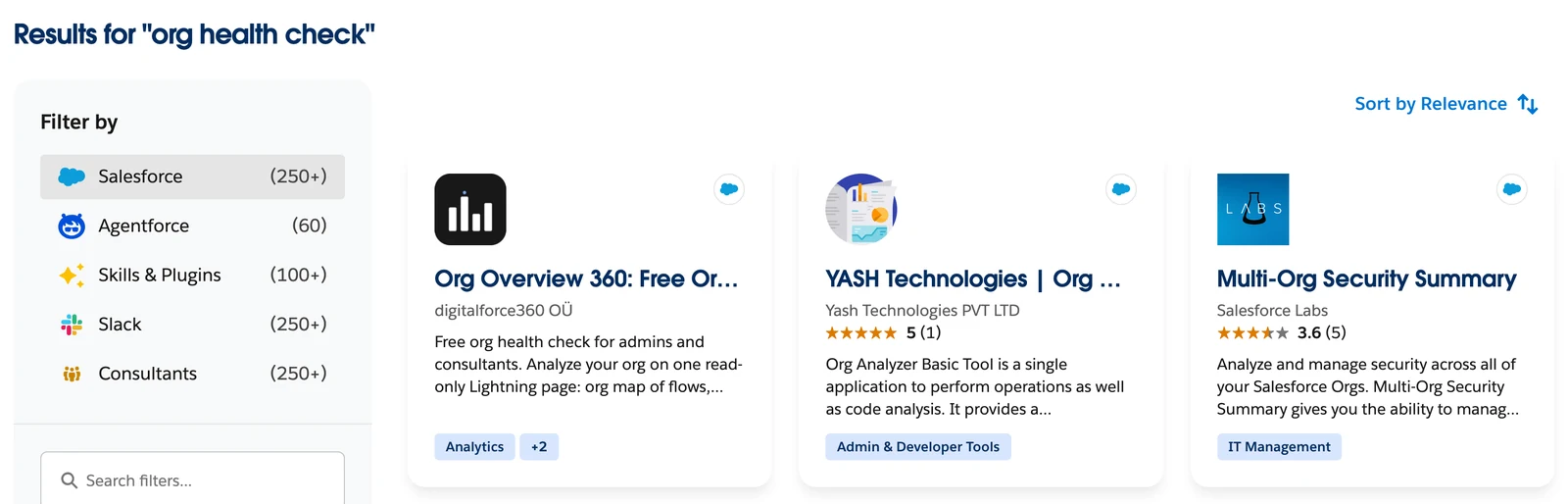
The listing ranks first for "org check" too, ahead of the Salesforce Labs app with that name, because "org" and "check" are both in its title now. I did not aim for that and I would not have used their name to get it.
The AI Summary is the new snippet
This is the part I did not expect. For "org health check", "org check" and "org overview", AgentExchange puts an AI-generated summary above the results, and Org Overview 360 is the first app in it for all three.
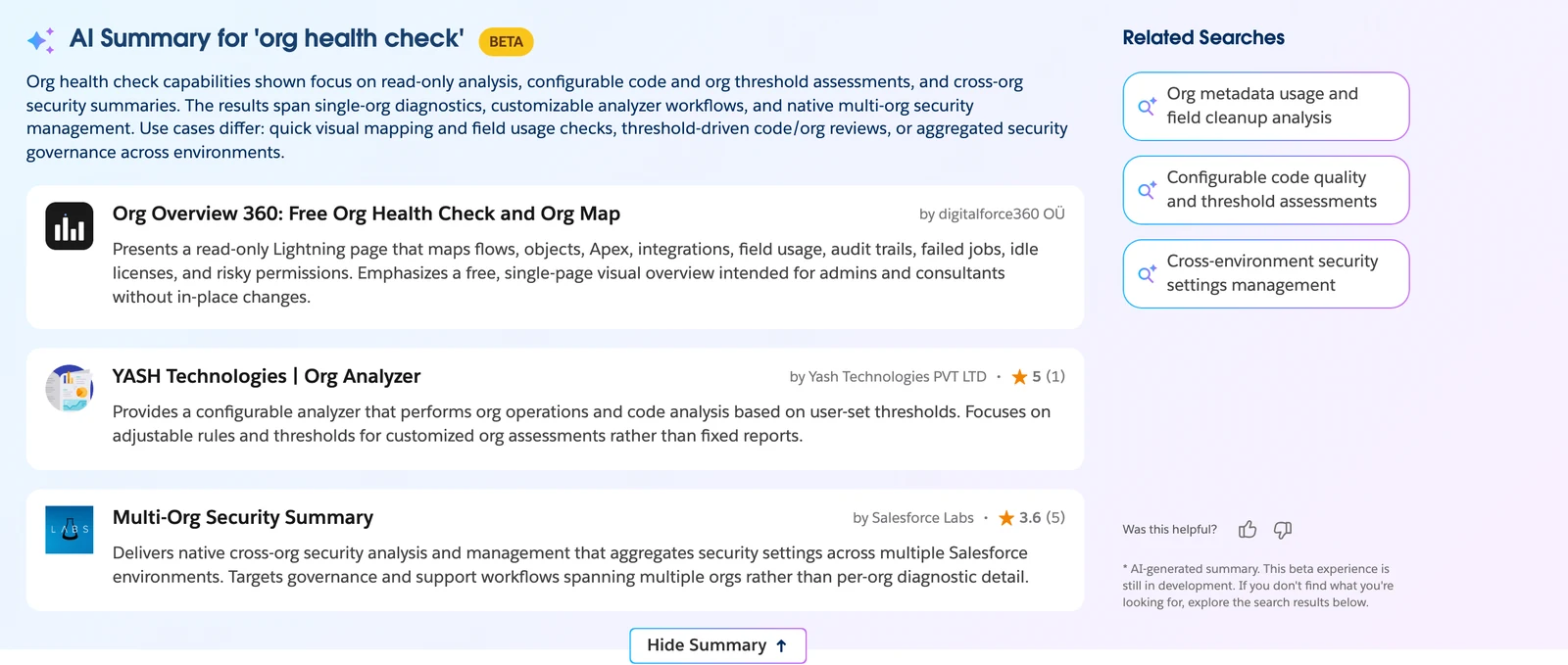
Compare the generated sentence with my brief description. It keeps the same concrete nouns, almost in the same order: flows, objects, Apex, integrations, field usage, audit trail, failed jobs, idle licenses, risky permissions, and that it is for admins and consultants.
So the brief description now has two readers: a person scanning a card, and a model writing a summary. Both do better with a plain list of things the app shows and a clear "for whom" than with marketing words. This is the same thing that makes a page easy to quote for AI search on the open web.
What did not work
"Org analyzer", "technical debt" and "field usage" still do not bring the listing into the first 12. "Org analyzer" is only in my SEO title, and "technical debt" only in the full description and a highlight. "Field usage" is in the brief description, but several apps have it in their title. My reading: the title is worth more than anything else, and the long fields add little.
What this does not prove
- It is one listing and two measurements. Ranks will move as other listings change.
- On the same weekend the listing also got a new version (1.3), new screenshots and a demo video. Those may help as well; the text change is the only one that maps to the search words.
- I checked logged out, sorted by relevance, in the first 12 cards. A logged-in search may look different.
I will add the numbers here as they change, including installs.
My checklist
- Search for your app the way a stranger would, logged out, before you write a word.
- Pick one phrase admins actually type and put it in the listing title.
- Open the brief description with that phrase and who it is for; the card shows about 120 characters.
- List the concrete things the app shows. The AI Summary repeats them.
- Use generic phrases, not other apps' names.
- Save with "Save & Exit", check the public page, then wait two days before you judge.
Questions people ask
How does AgentExchange search rank listings?
Salesforce does not publish it. What I observed with my own listing: search behaves like a word match, and the listing title and the brief description carry the most weight. Words that were only in my long description or highlights did not get my listing into the first 12 results.
How long does it take for AgentExchange search to pick up listing changes?
In my case about two days. Right after I saved the new copy on November 22, 2026 the listing disappeared from search, even for its own name. On November 24 it was back, and first for "org health check".
Which AgentExchange listing fields matter most for search?
The listing title (80 characters) and the brief description (255 characters). Both are on the first step of the listing editor. The SEO title, tagline, full description and highlights are on a later step and mattered much less in my test.
Does the AgentExchange AI Summary use my listing text?
It looks like it. The summary that AgentExchange generated for my listing repeats the concrete nouns of my brief description: flows, objects, Apex, integrations, field usage, audit trail, failed jobs, idle licenses and risky permissions, and it says who the app is for.
Can I use another app's name as a keyword in my AgentExchange listing?
I did not. "Org Check" is the name of a Salesforce Labs app, so I used the generic phrase "org health check" instead. My listing still shows up first for "org check", because both words are in its title.