Contents10 sections
A few years ago I asked someone more experienced a simple question: how does the AppExchange Security Review actually work?
Are you asking me for my million-dollar know-how?
I did not get my answer that day, but I got a lesson. I decided that if I ever went through the process myself, I would write everything down and give it away. In November 2026 my first app, Org Overview 360, passed the review on the first attempt. So here is the know-how. It turns out it fits on one page.
A note on the name. Salesforce renamed AppExchange to AgentExchange in 2026, and listings, mine included, now carry the AgentExchange name. The Partner Console screens during my review in November 2026 still said AppExchange, so you will see both names on this page. It is the same security review.
-- the short version
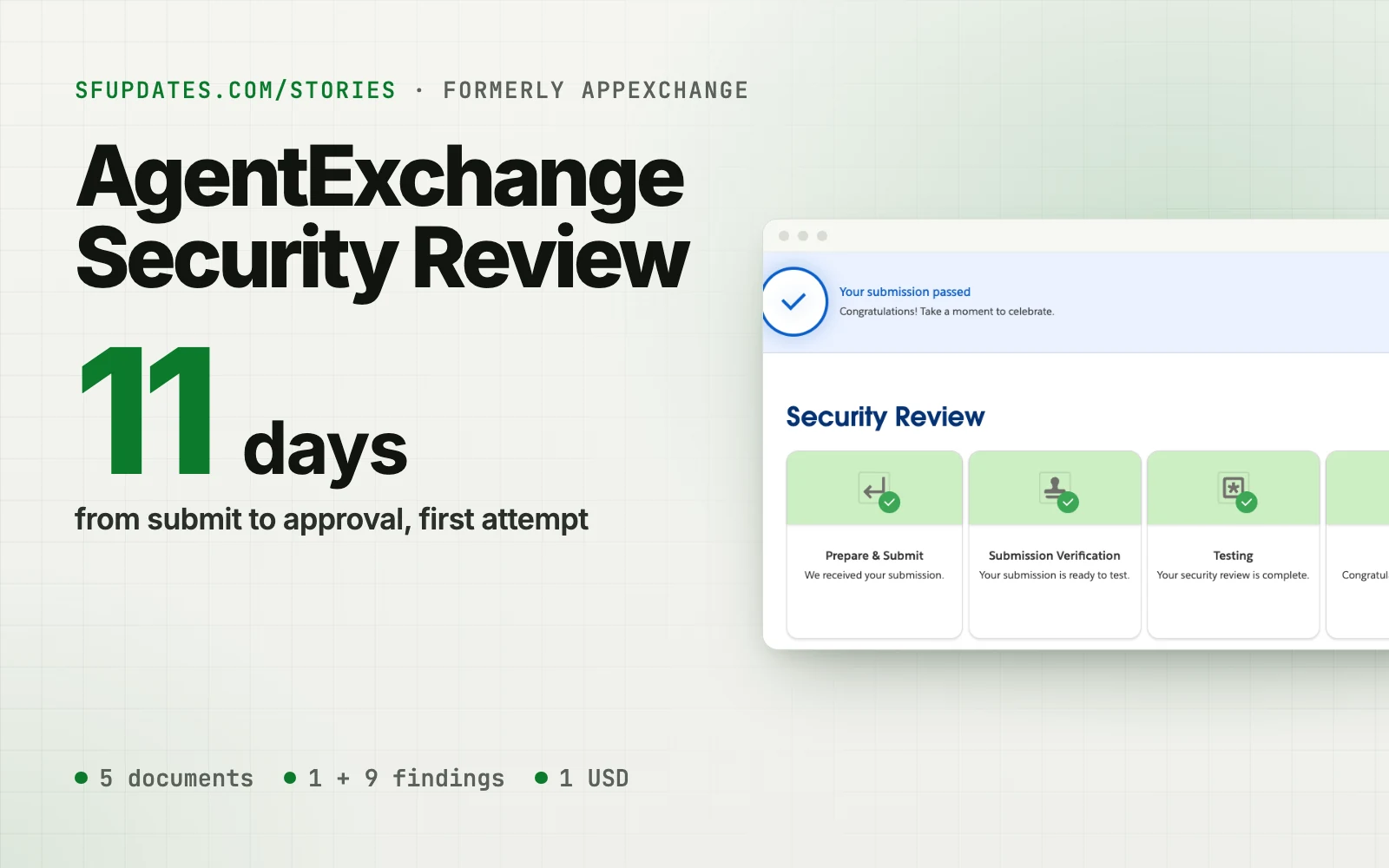
Org Overview 360, a free, read-only, 100% native Salesforce app, was submitted for the AgentExchange (formerly AppExchange) Security Review on November 9, 2026 and approved on November 20, 2026: 11 days, first attempt. The submission was five documents and one test org. The scanners reported one security finding and nine code quality findings, and every one of them was explained in a false positives document. Total cost: 1 USD.
The app that was reviewed
Context matters, because the size of the app decides the size of the review. Org Overview 360 is one Lightning page that summarizes a Salesforce org: users, record counts, flows, objects, storage and the things that need attention. It is built with Apex and Lightning Web Components only. It makes no external callouts, runs no DML, stores no data and ships no custom objects.
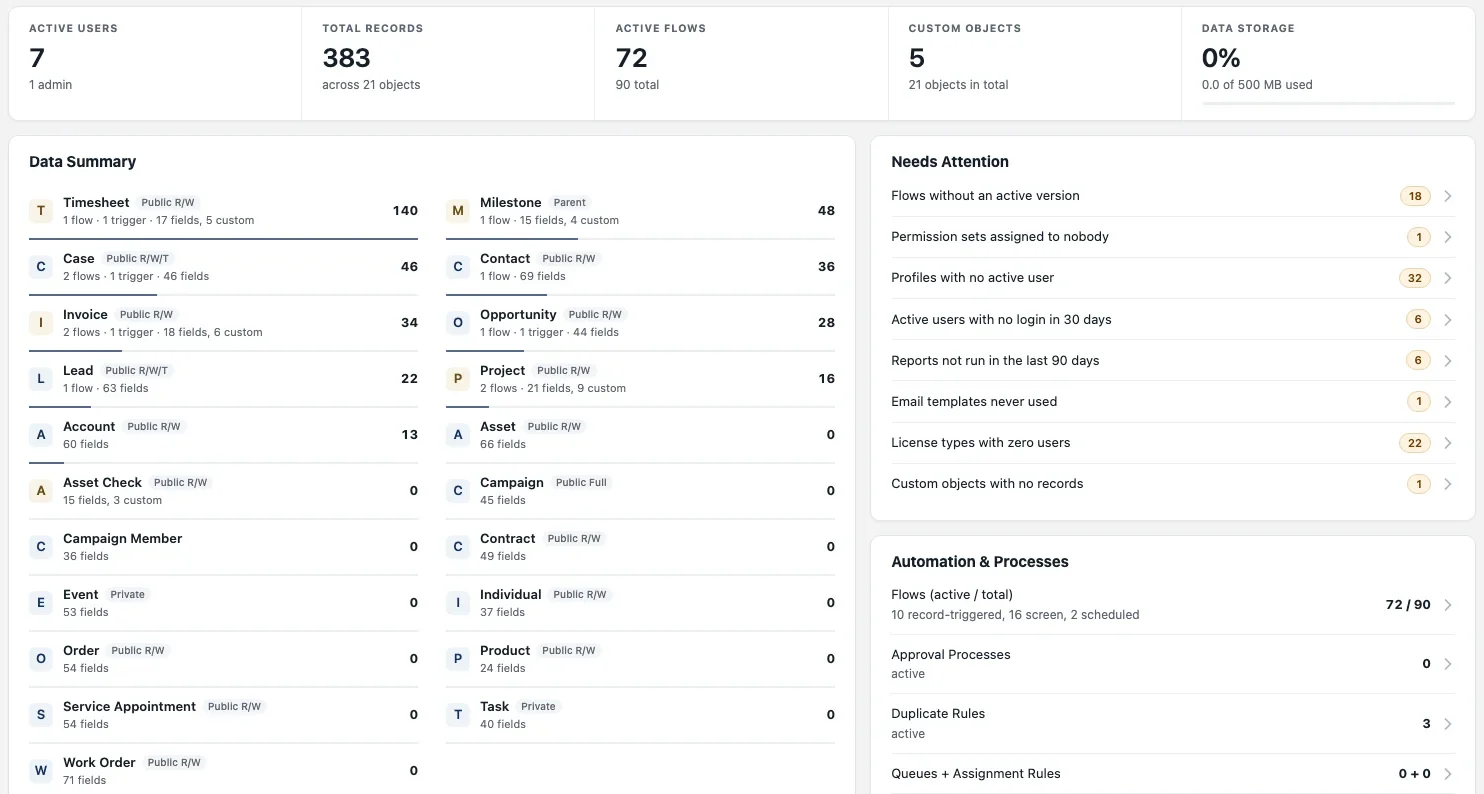
A simpler architecture means a shorter review. Do not expect the same speed for an app with its own servers, integrations or a web front end.
The timeline
- Nov 5Scans and documents readyCode Analyzer clean, source scanner run, five documents written.
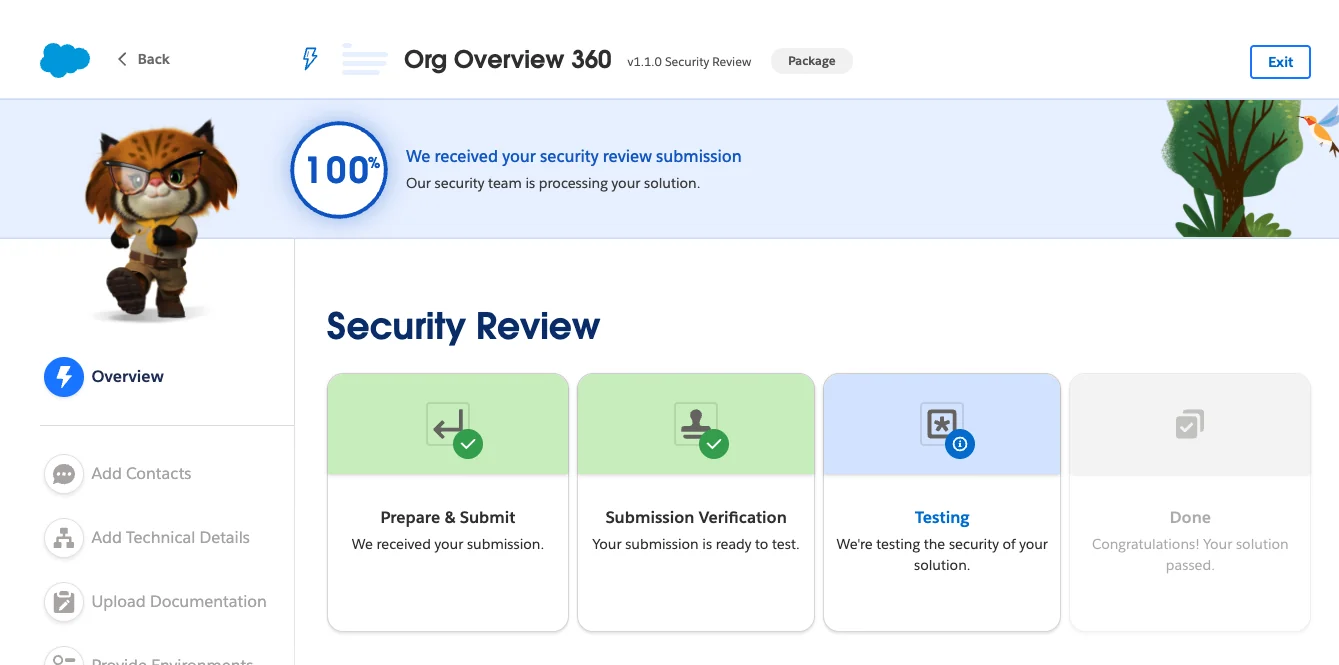
- Nov 9SubmittedStatus: "We received your security review submission".
- Nov 13Verification finished4 days. Status: "Your submission is ready to test".
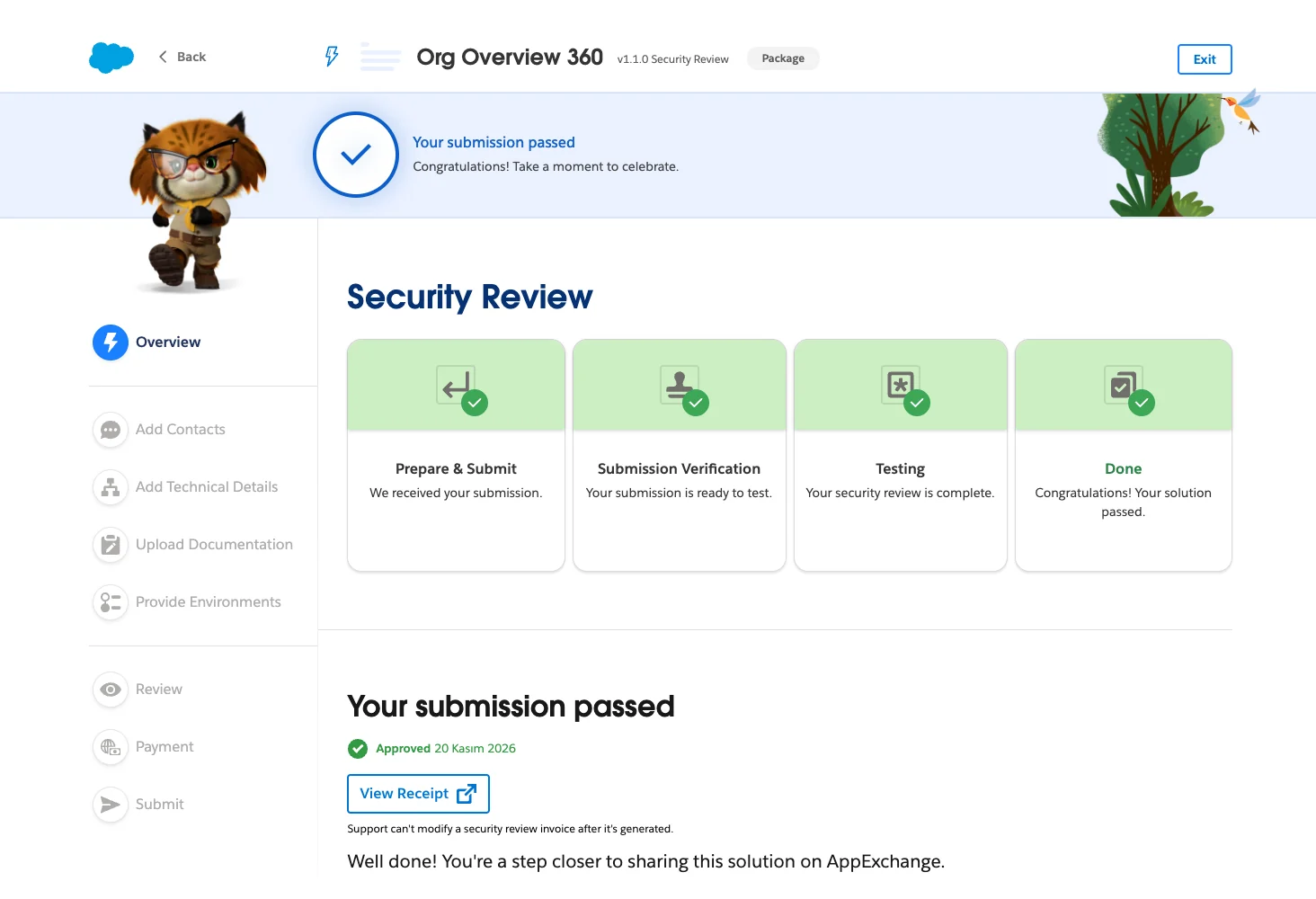
- Nov 20Approved7 days of testing. Status: "Your submission passed".
The review has two working stages. In submission verification the team checks that your documents and test environment are complete. The estimate I was given for this step was about two weeks; it took four days. In testing the team tests the security of the app in your test org. That took seven days and ended with "Your submission passed".
What I submitted
Five documents, all short. The four I wrote myself add up to six pages.
- architecture-and-usage.pdf2 pagesWhat the app does, which objects and APIs it reads, which permission set gives access, and how a reviewer can open every screen.
- api-callouts.pdf1 pageOne statement: the app makes no external callouts. If a section does not apply, say so in writing instead of leaving it empty.
- code-analyzer-report.pdf1 pageSalesforce Code Analyzer with the AppExchange and Security rule selectors: zero violations.
- source-scanner-reportexportThe Checkmarx scan from the Partner Security Portal, exactly as the portal produced it.
- false-positives.pdf2 pagesEvery scanner finding, mapped to the code, with an explanation of why it is safe.
The architecture document is the one I would spend the most time on. The reviewer has never seen your app, so it opens with how to reach every screen, then lists every component and how data is accessed:
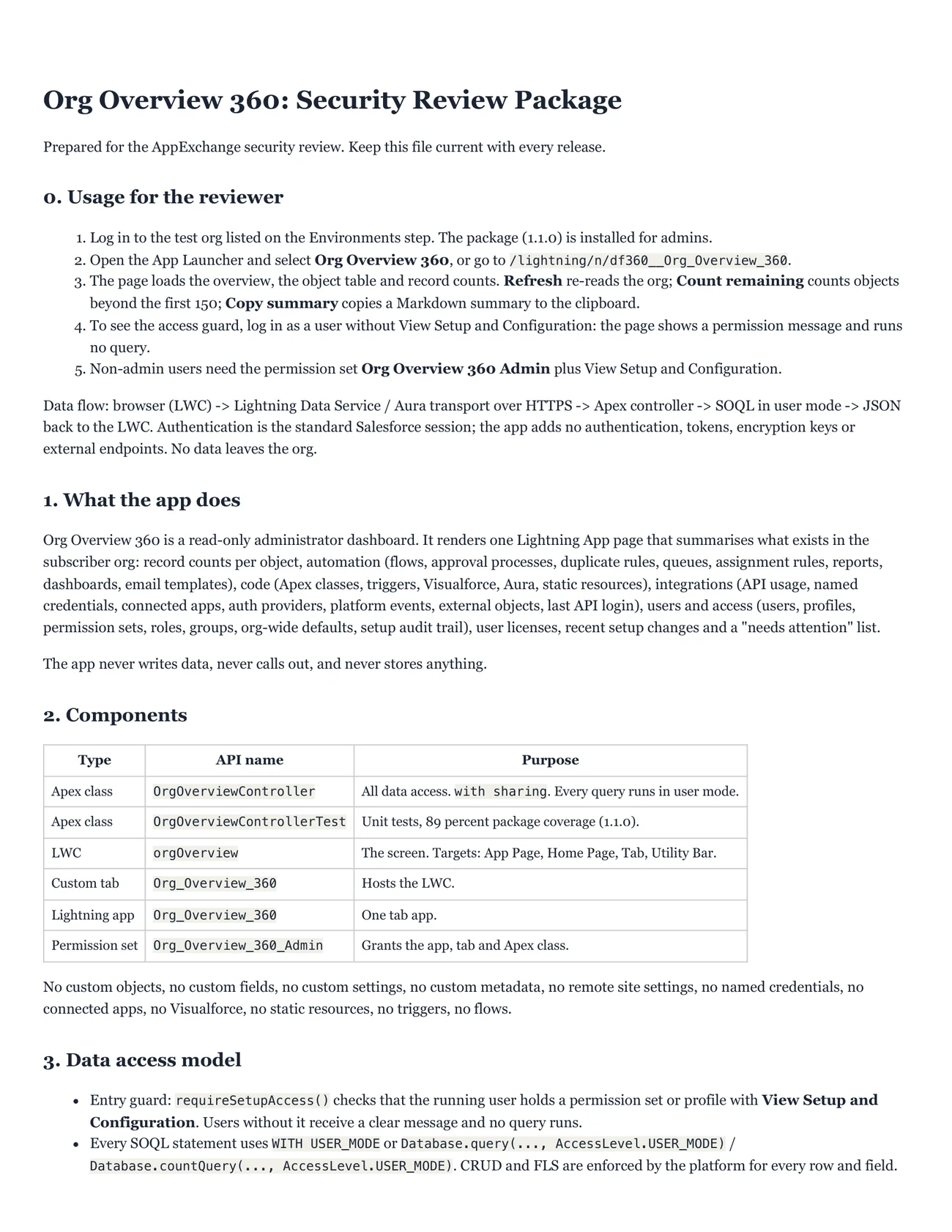
Plus a test environment: a separate Developer Edition org with the released package installed, a permission set assigned and an admin login for the review team. Keep that org and its password unchanged until the review is done.
One detail that cost me time: the org where you registered your namespace cannot be the test org, because a managed package cannot be installed into the org that owns its namespace.
What the scanners found
I ran Salesforce Code Analyzer locally until it was clean before touching the official scanner, because the number of source scanner runs is limited.
$ sf code-analyzer run --rule-selector AppExchange --rule-selector Security \
    --workspace force-app --output-file report.csv
$ wc -l report.csv
       1 report.csv
# one line: the header row. Zero violations.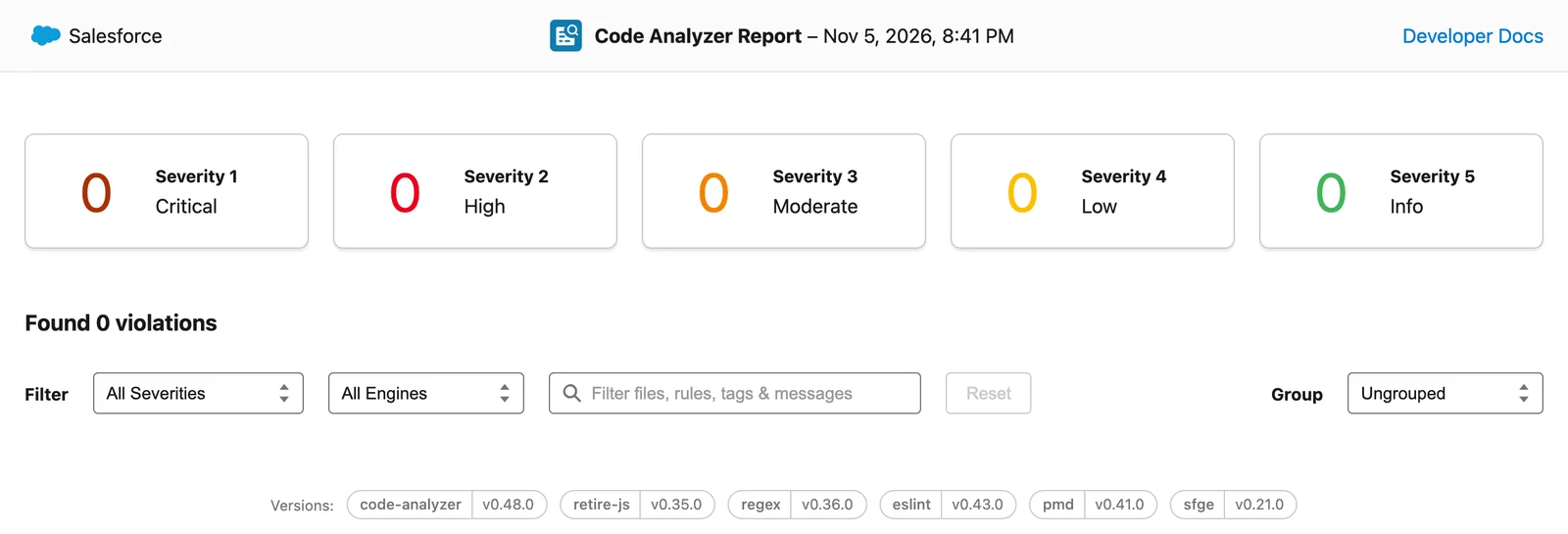
The Checkmarx source scanner then reported one security finding and nine code quality findings.
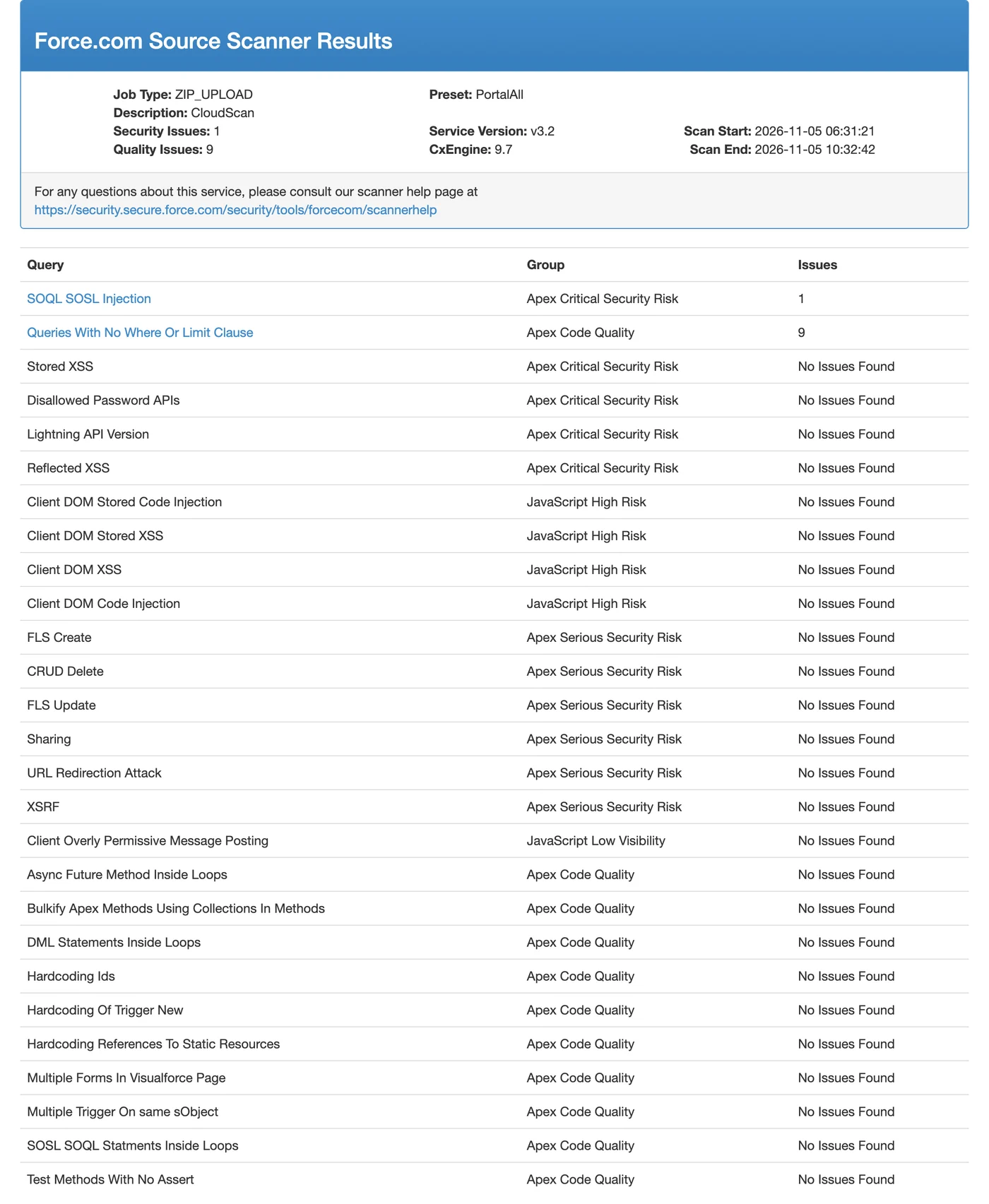
| Scanner finding | Count | Type | My answer |
|---|---|---|---|
| SOQL SOSL Injection | 1 | Security | False positive. The object name is validated against the org schema before the query is built. |
| Queries With No Where Or Limit Clause | 9 | Code quality | By design. They are COUNT() queries that return a single number. |
This is the line behind the security finding. The app counts the records of the objects you pick, so the query is built at run time:
for (String name : apiNames) {
    Schema.DescribeSObjectResult d = described.get(name);
    if (d == null || !d.isQueryable() || !d.isAccessible()) {
        counts.put(name, -1);
        continue;
    }
    // d.getName() is the schema-validated name, never the raw input
    counts.put(name, Database.countQuery(
        'SELECT COUNT() FROM ' + d.getName(), AccessLevel.USER_MODE));
}That is a false positive, but "trust me" is not an answer. This is what I wrote in the false positives document, shortened:
The value concatenated into the query is
DescribeSObjectResult.getName()returned bySchema.describeSObjects, not the client string. A name that is not a real, accessible sObject never reaches the query. An attacker cannot add clauses, quotes or other objects: the only possible query shape isSELECT COUNT() FROM <existing sObject API name>, and it runs in user mode.[The nine count queries] do not return rows, so a LIMIT clause would not reduce data exposure; counting the whole object is the purpose of the dashboard.
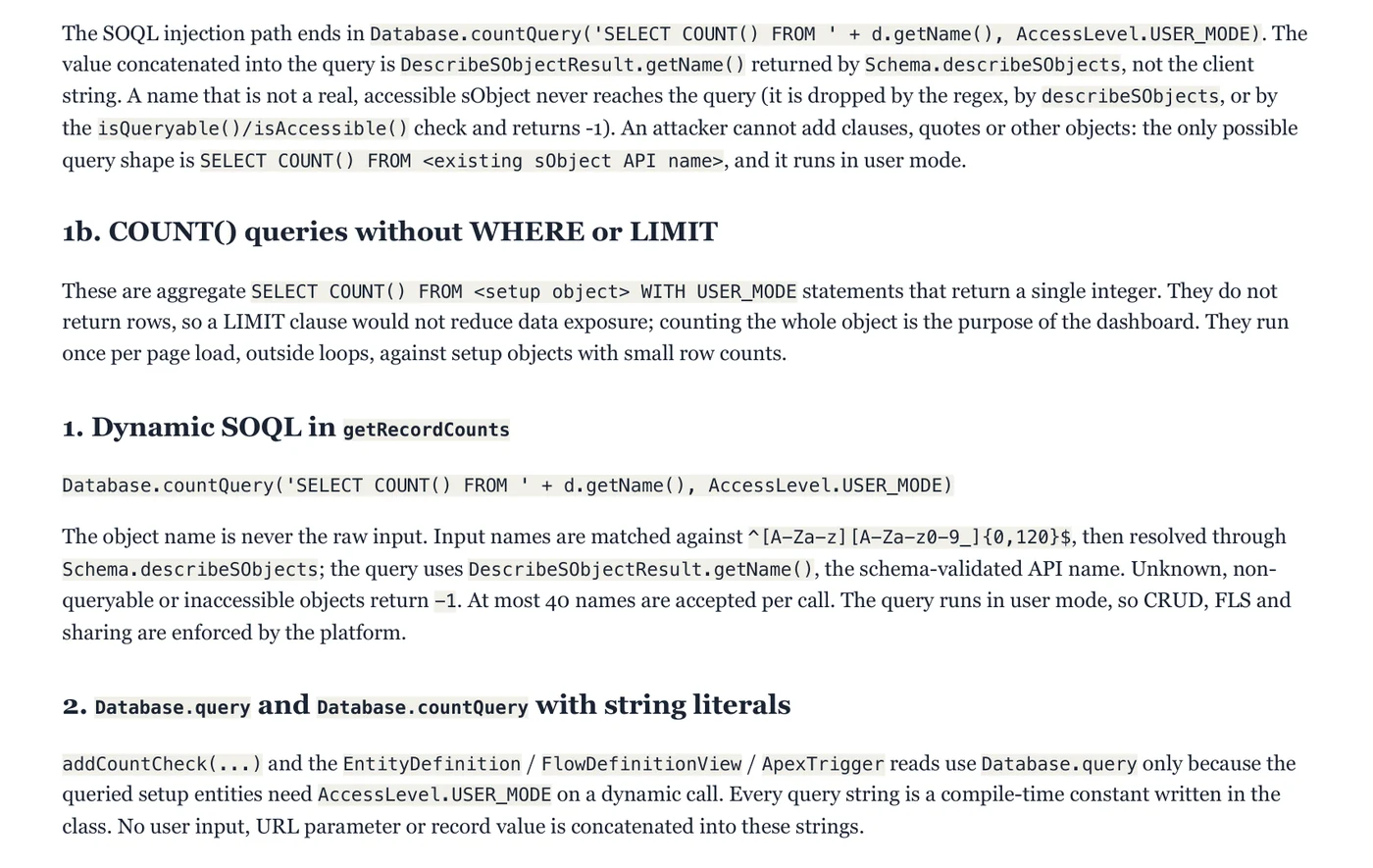
My takeaway: a clean report is not the goal. A report where every line has an honest explanation is.
One fix I made before submitting
Error handling. The first version showed raw exception messages on screen. Internal details should not leak into the user interface, so I replaced them with plain messages, sent the detail to the debug log, and shipped that as the version I submitted.
  } catch (Exception e) {
-     throw new AuraHandledException(
-         'Org Overview could not be loaded: ' + e.getMessage());
+     System.debug(LoggingLevel.ERROR,
+         'getOverview failed: ' + e.getTypeName() + ' ' + e.getMessage());
+     throw new AuraHandledException(
+         'Org Overview could not be loaded. Click Refresh to try again; '
+         + 'if it keeps failing, contact your Salesforce administrator.');
}The fee surprise
My listing was set to Free, yet the submit page asked for 999 USD.
The reason: the pricing of the listing had not been approved yet, so the system treated the app as paid. This is what I did:
- I did not pay.
- I opened a partner support case and asked for the fee to be checked.
- Support asked me to confirm that the app follows the free app policy. I confirmed.
- The listing was approved, and support sent a single-use waiver code.
- The code goes into the promotion code field on the payment page, not on the review form.
- A processing fee of 1 USD remained. That is what my security review cost.
If you see a fee on a free app, stop and ask support first.
What slowed me down
Not the review itself. Before I could build a package, linking my namespace to the Dev Hub simply did nothing: the Link Namespace window opened and stayed on "Loading...".

It took about a week with support to find the cause, a known issue: the Dev Hub org was missing a connected app named SalesforceDX Namespace Registry. Once that app was in place, the link worked about ten minutes later. If the Link Namespace button does nothing for you, open a case early and mention that.
My checklist
- Run Code Analyzer with the AppExchange and Security selectors until it reports zero.
- Remove raw exception messages from the UI.
- Run your queries in user mode so sharing and field access are enforced by the platform, and say so in your documents.
- Prepare a clean test org that is not your namespace org.
- Write the architecture document for a reader who has never seen your app.
- Explain every scanner finding in a false positives document.
- Free app with a fee on the submit page? Open a case, do not pay.
Why I am giving this away
That answer stayed with me. Knowledge like this is not worth a million dollars. It is worth a few evenings of someone's time, and sharing it costs me nothing.
If you are preparing your own review and get stuck, write to me at info@sfupdates.com or on LinkedIn. I will help as much as I can.
Questions people ask
Is the AppExchange Security Review now the AgentExchange Security Review?
Yes. Salesforce renamed AppExchange to AgentExchange in 2026 and listings now show the AgentExchange name. The Partner Console screens during my review in November 2026 still used the AppExchange name, and the steps in this story (documents, scanners, test org, verification and testing) are the same review.
How long does the AgentExchange (AppExchange) Security Review take?
Mine took 11 days. I submitted on November 9, 2026, submission verification finished on November 13 (4 days, against an estimate of about two weeks) and the app was approved on November 20 after 7 days of security testing. The app is a small, 100% native package with no external callouts, so an app with its own servers or integrations should expect longer.
How much does the AppExchange Security Review cost for a free app?
I paid 1 USD. The submit page first showed 999 USD because the pricing of my listing had not been approved yet. I did not pay, opened a partner support case and confirmed that the app follows the free app policy. The listing was approved and support sent a single-use waiver code, which left a 1 USD processing fee.
What do you have to submit for the AppExchange Security Review?
I submitted five documents and one test environment: an architecture and usage document, a statement that the app makes no external callouts, a Salesforce Code Analyzer report, the source scanner (Checkmarx) report from the Partner Security Portal, and a false positives document. The test environment was a separate Developer Edition org with the released package installed and an admin login for the review team.
Do you need zero scanner findings to pass the Security Review?
No. My app passed on the first attempt with one security finding and nine code quality findings in the source scanner report. What matters is that every finding is explained: I mapped each one to the code in a false positives document and wrote down why it is safe.
Can the namespace org be the Security Review test org?
No. A managed package cannot be installed into the org that owns its namespace, so the test environment has to be a separate Developer Edition org with the released package version installed.